Azvian CRM
Leads, invoices, and clients — self-hosted.
Azvian CRM covers the core of running client work from one place — leads through to invoices — on a server you control, with a dedicated portal your clients log into directly. No per-seat pricing, no data leaving your own infrastructure.
The real thing, not a mock-up
Screenshots of the actual product, filled with sample data for a made-up company.
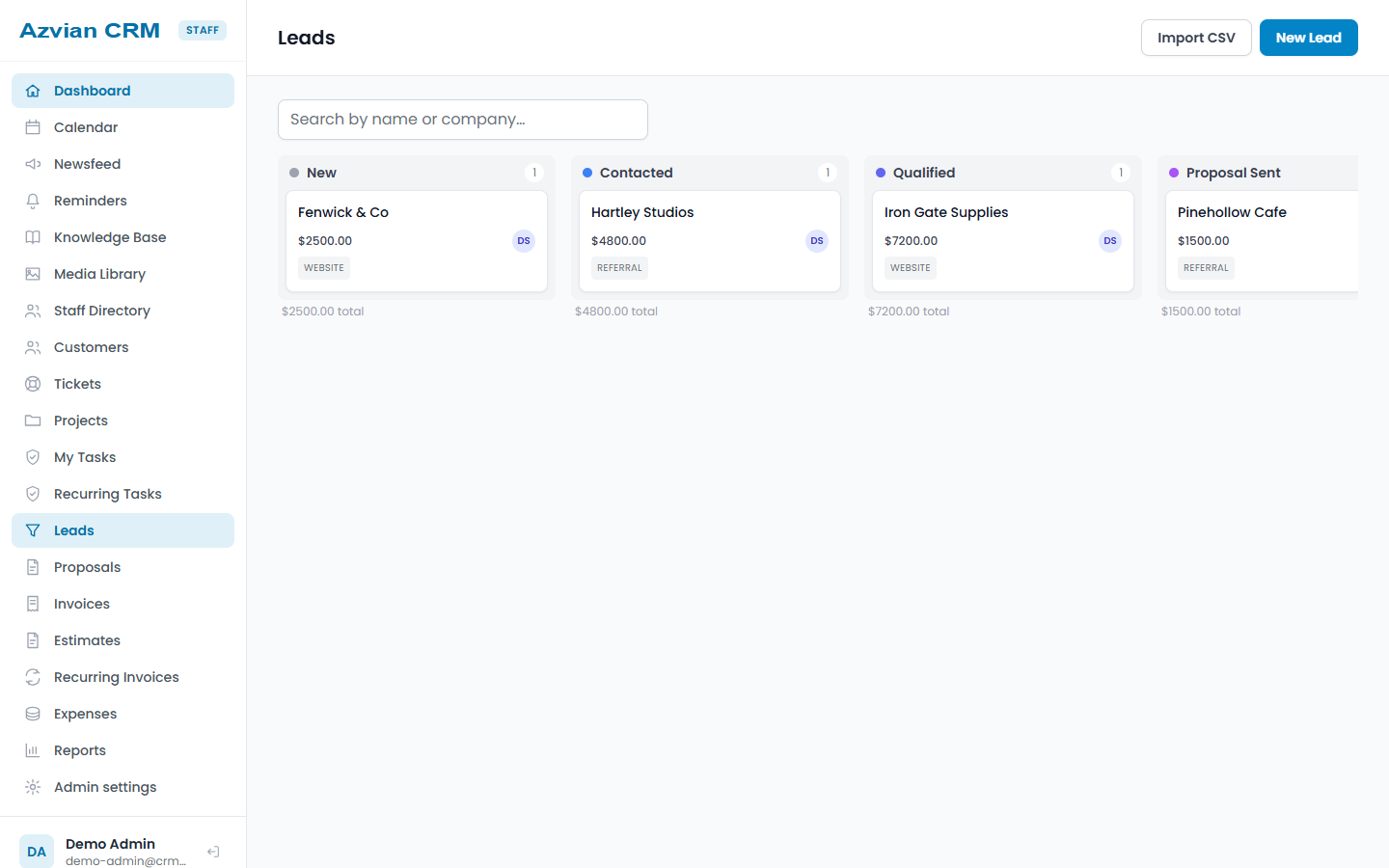
Leads on a pipeline board
Drag leads between stages and see the value of each one. Import a list from a CSV file, or let the web-to-lead form put new enquiries straight on the board.
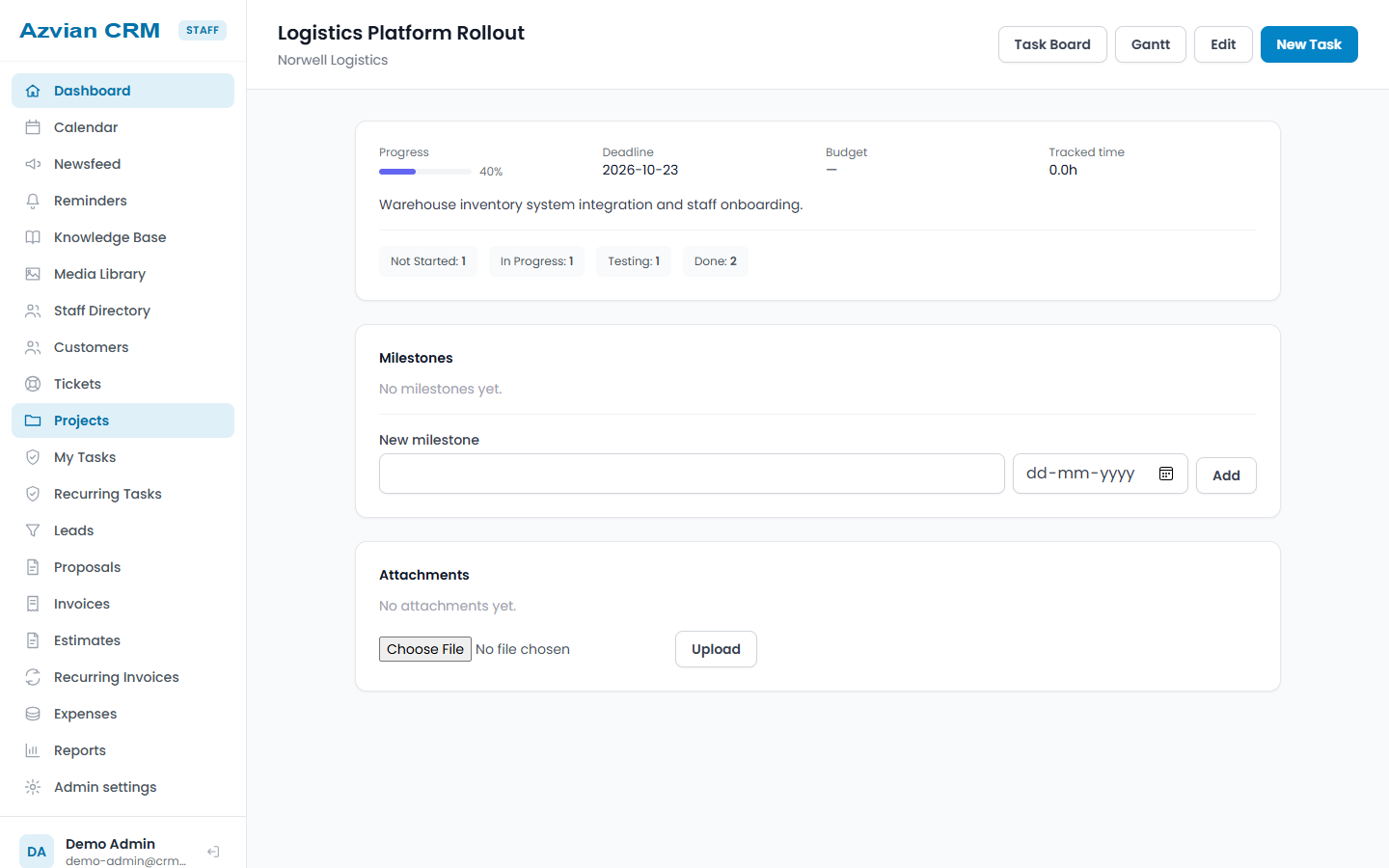
Projects with progress and tasks
Each project shows its progress, deadline, budget and tracked time, with tasks, milestones and attachments, on a task board or a Gantt chart.
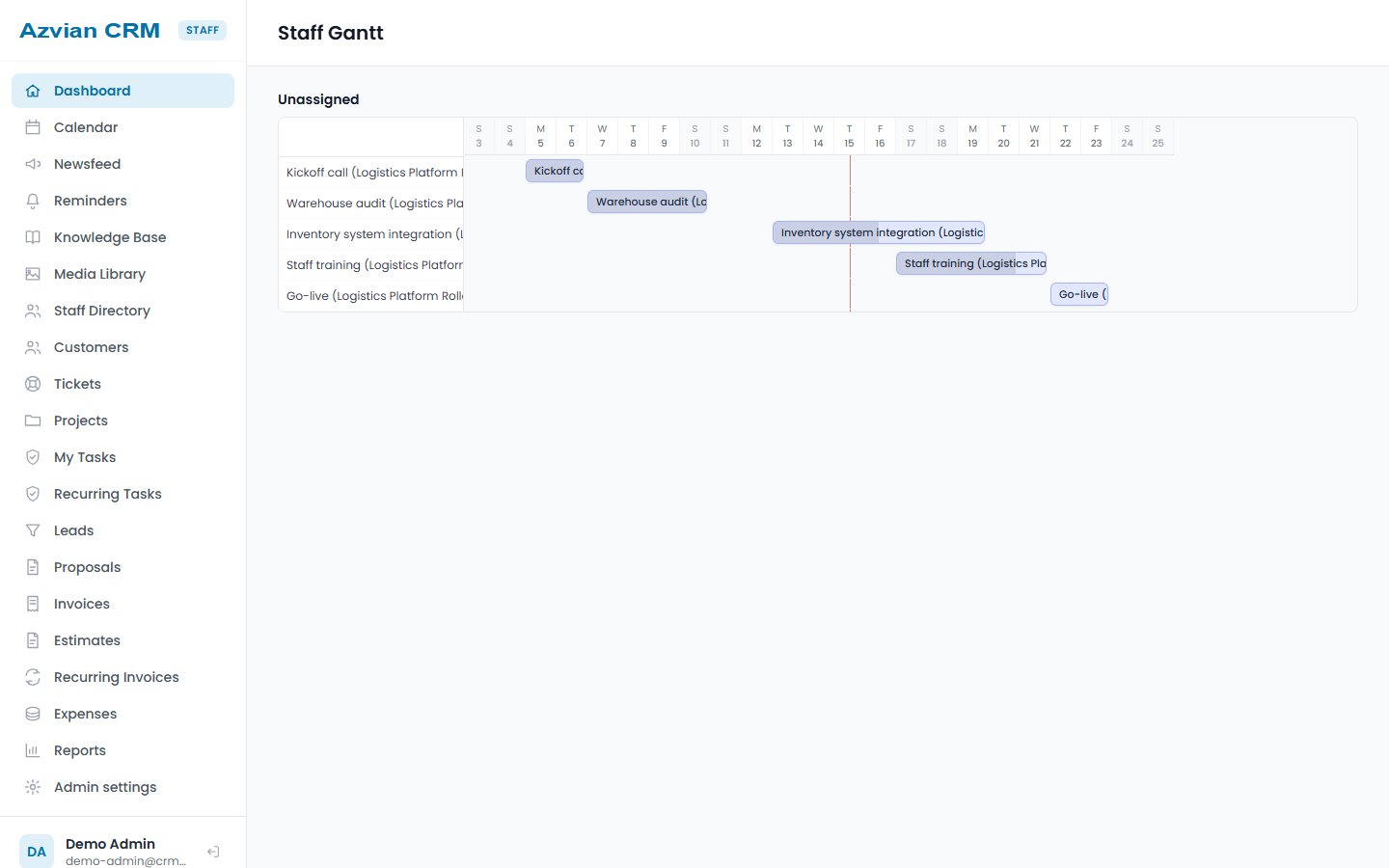
A Gantt chart of the work
See tasks laid out on a timeline, grouped by who is doing them.
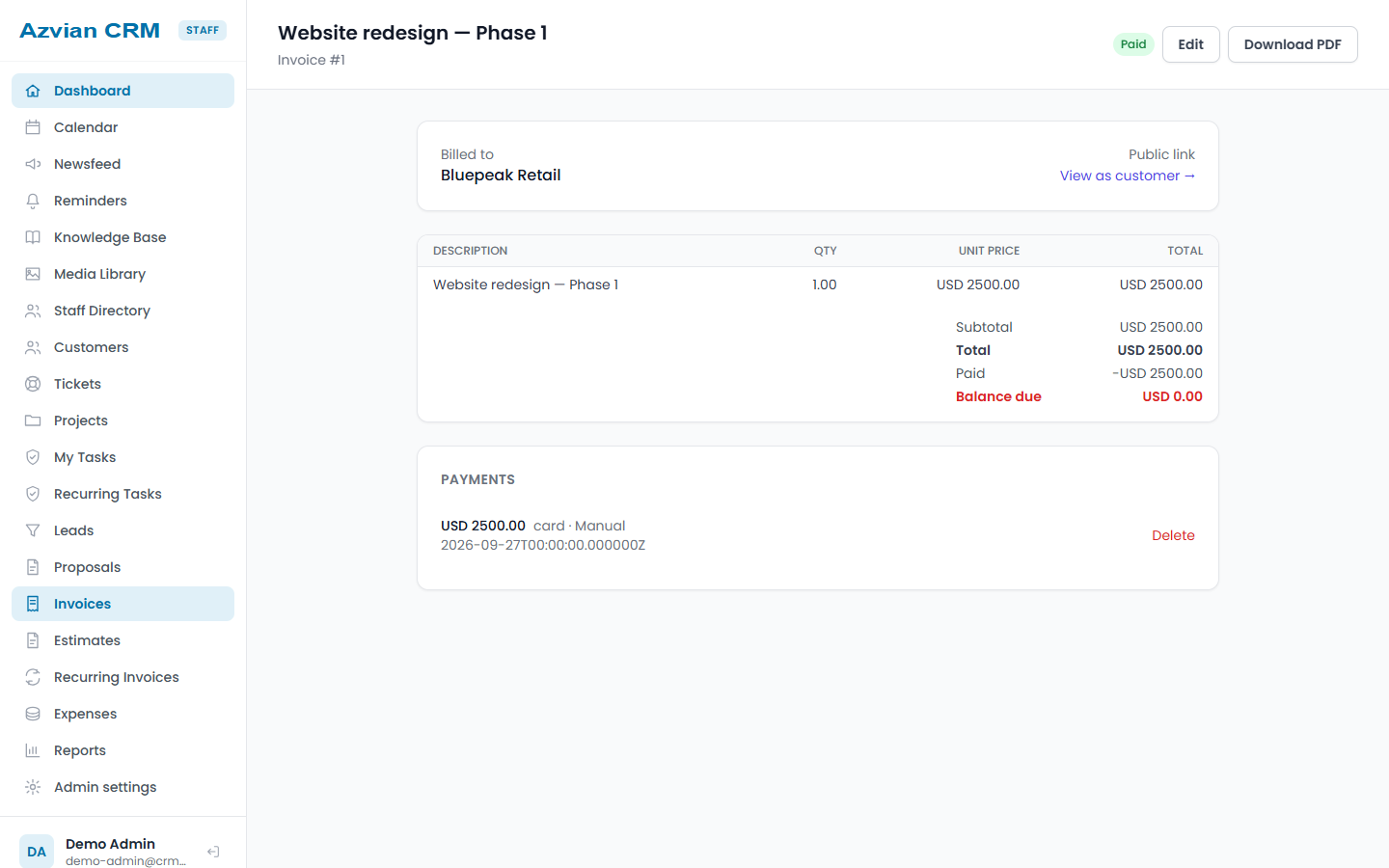
Invoices with payments and a PDF
An invoice shows what was billed, what has been paid and what is left. Record payments, download a PDF, or share a link your client can open.
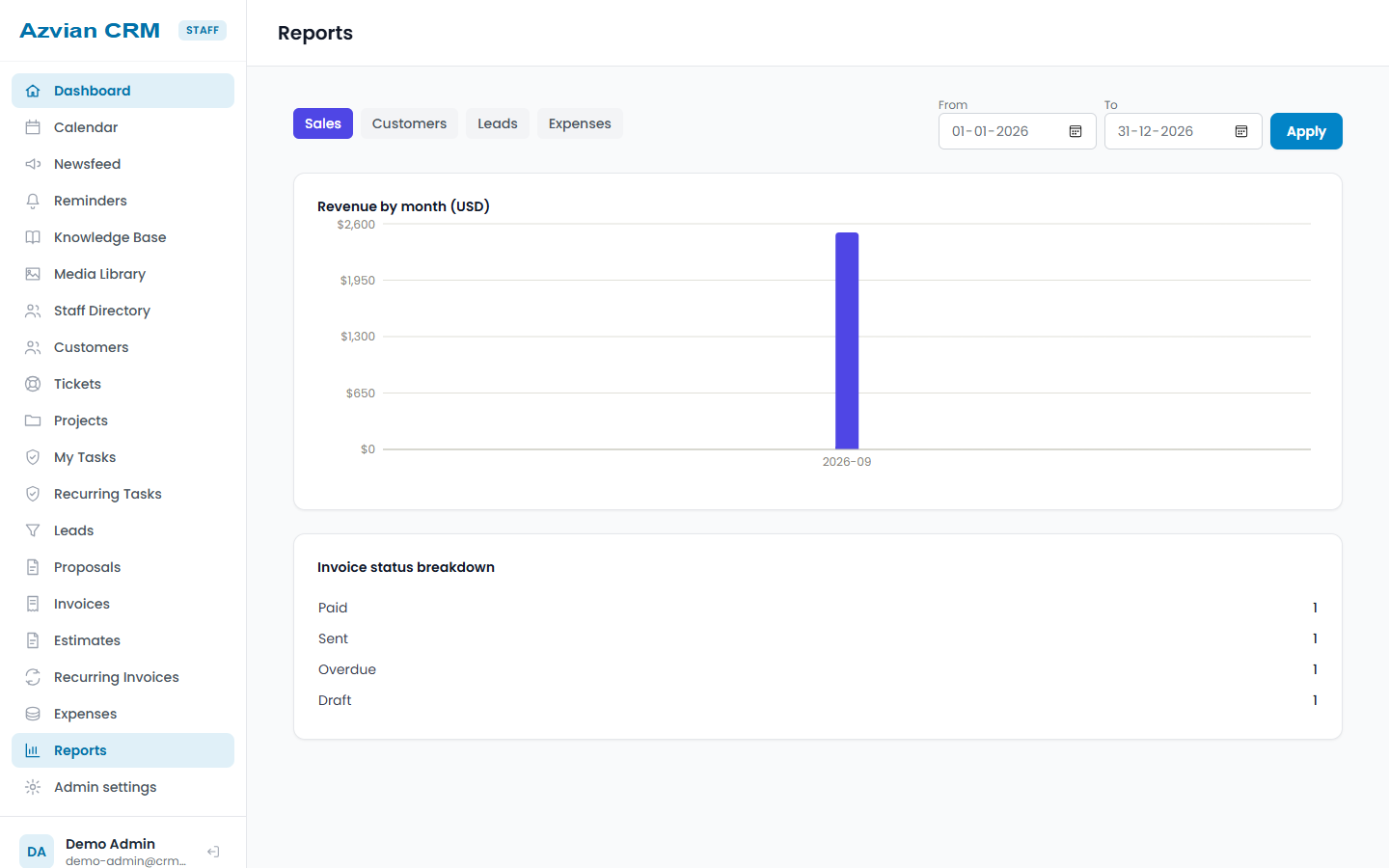
Reports that show the money
Sales, customers, leads and expenses, with charts and a date range of your choice.
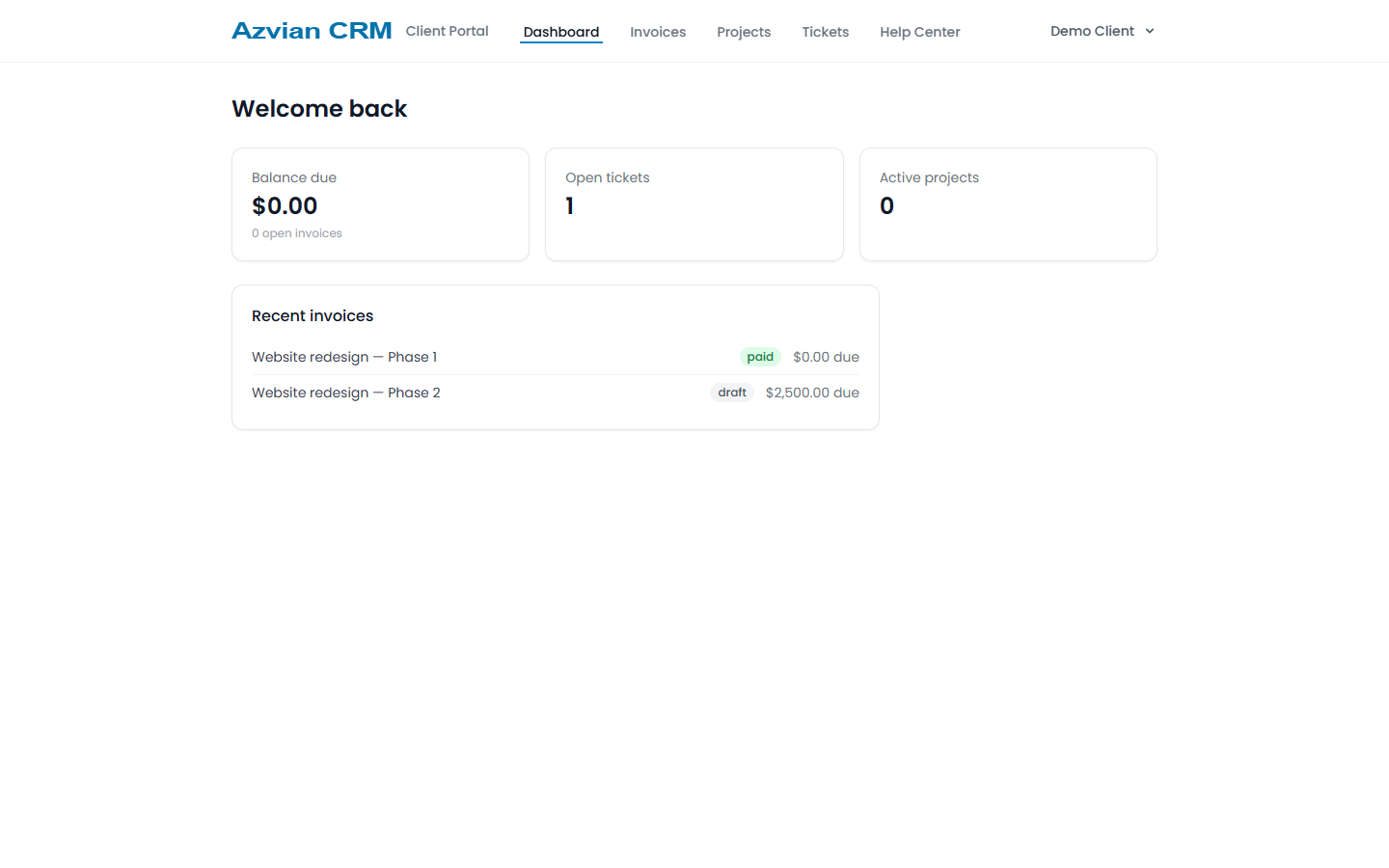
A portal for your clients
Clients sign in to see their invoices, projects and support tickets, and to read your help center.
Highlights
Leads to invoices, one pipeline
Track leads through to won deals, then straight into projects and invoicing — without re-entering the same client information in three different tools.
A real client portal
Clients log into their own portal to see invoices, projects, and support tickets — not a shared inbox thread.
Self-hosted, admin/staff/client roles
Runs on your own server with proper role separation between your team and your clients, not a single shared login.
One-time license, your own data
No monthly per-seat SaaS bill and no third party holding your client list — it lives in your own database.
$79, one time. No subscription. You get the download and a license key for one install, by email, with free 1.x updates and email support. Buying is through Gumroad, which adds any VAT, GST or sales tax that applies where you live.
Questions
How do I buy it, and what do I get?
You buy through Gumroad, which takes the payment and adds any VAT, GST or sales tax that applies where you are. Gumroad gives you the download, and we email you your license key straight away. The installer asks for the key in its third step and activates it for your domain. One key works on one install.
What do I need to run it?
A web server (Apache or Nginx) with PHP 8.3 or newer, MySQL 5.7 or newer (or MariaDB), and a cron job that runs every minute. You do not need Composer or Node.js: the download includes everything already built. A four-step web installer checks your server, sets up the database, activates your key and creates your admin account.
Can I try it first?
Yes. There is a public live demo with an admin, a staff and a client login. Use the View live demo button above. Email and payments are switched off on the demo.
Can my clients pay invoices online?
Yes, by card through Stripe, once you add your own Stripe keys under Admin, Integrations. The CRM never comes with anyone's payment or email credentials, ours included.
Does it send email?
Yes, through your own SMTP account, set up under Admin, Integrations. It can also turn incoming email into support tickets. Nothing is sent until you add your own settings.
What do updates and support cover?
Free updates for every 1.x release and email support at hello@azvian.com. A future 2.0 may be sold as a paid upgrade; the version you bought keeps working.
What happens if my license cannot be checked?
The CRM checks your license once a day. If the licensing service cannot be reached, nothing changes. If the key is found to be invalid, a banner appears first, and the admin and staff screens lock only after 7 days. Your clients' portal is never locked.
Is there a refund?
Our refund policy applies: if the product does not work as this page describes, email hello@azvian.com with your order number within 14 days and we will either fix the problem or refund the purchase. The details are on the refund policy page.