Azvian Uptime Monitor
Uptime monitoring and status pages you host yourself.
Azvian Uptime Monitor watches your websites every five minutes, tells your team when something is really down, and keeps your customers informed on a branded status page you control: your own domain, your own logo, 90 days of uptime history. It runs on your server, so your monitoring data and your subscriber list stay yours.
The real thing, not a mock-up
Screenshots of the actual product, filled with sample data for a made-up company.
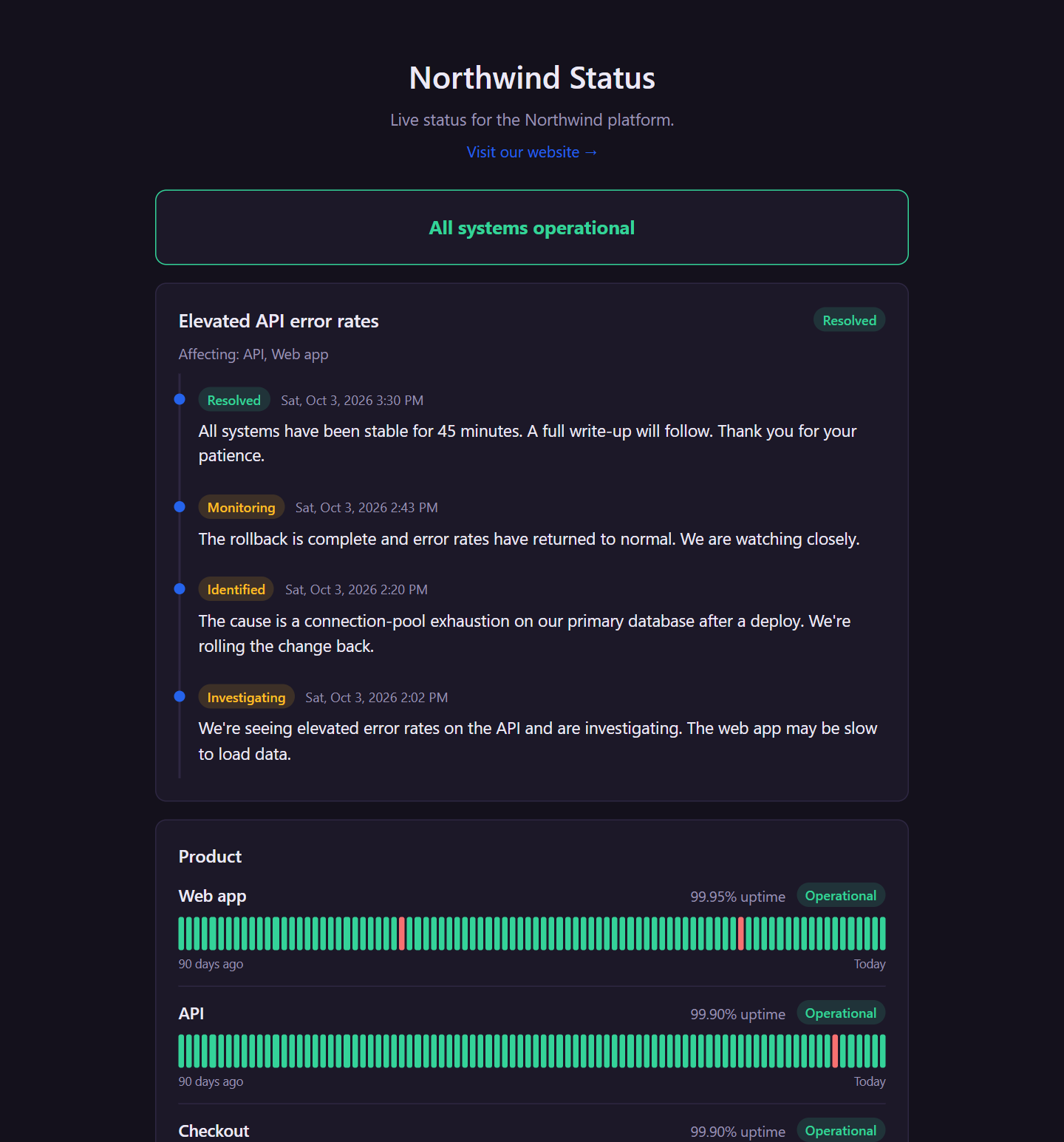
A status page your customers will trust
Overall status at a glance, every incident with its full timeline, and a 90-day uptime bar for each service, grouped the way you choose. Visitors can subscribe by email and read your complete incident history.
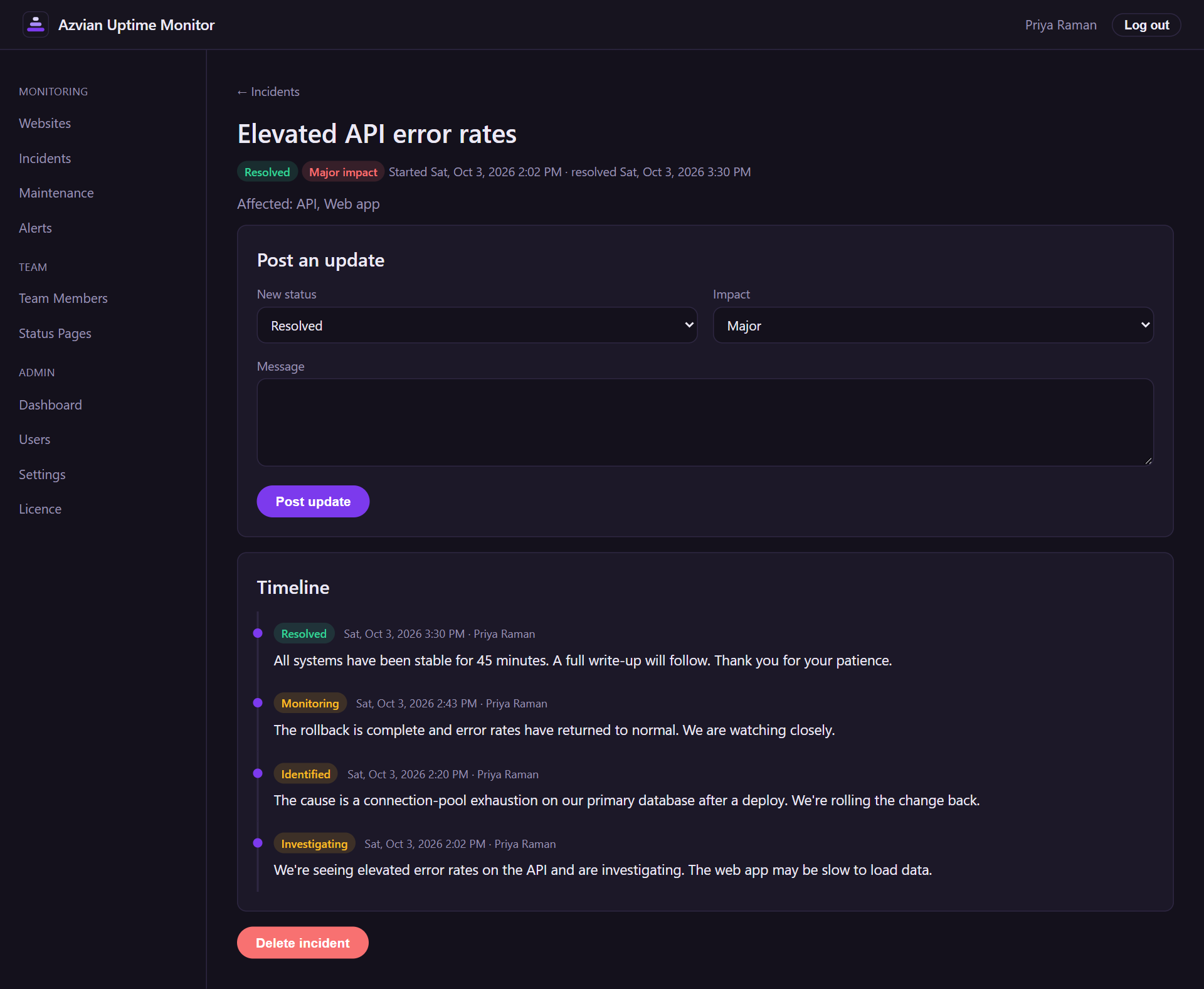
Keep people informed while you fix it
Post an incident, pick the services it affects, and move it through investigating, identified, monitoring and resolved. Each update goes to the status page and to everyone subscribed.
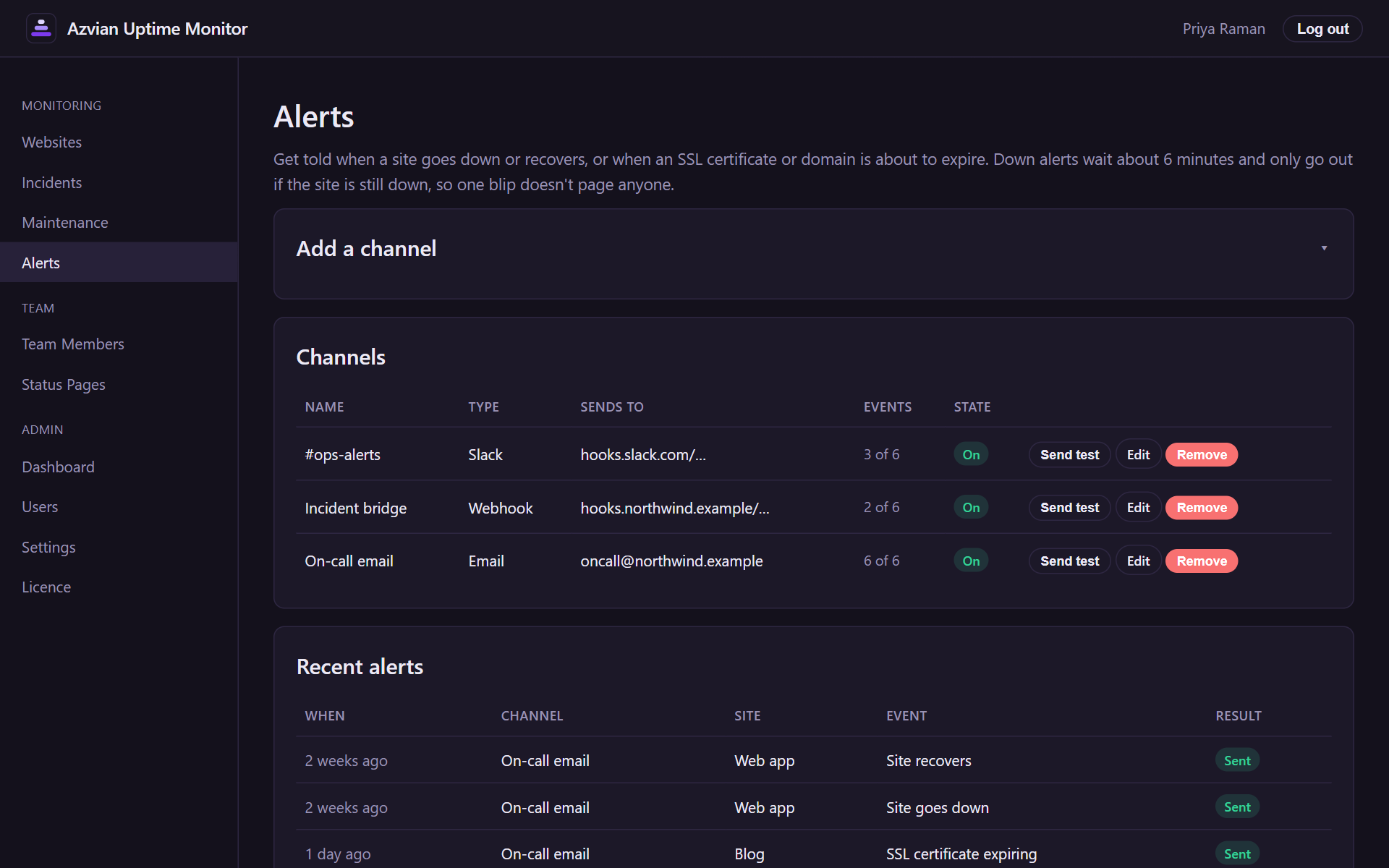
Alerts that reach the right people
Send alerts by email, to Slack, or to any webhook, and choose which events each channel hears about. A log shows exactly what was sent and when.
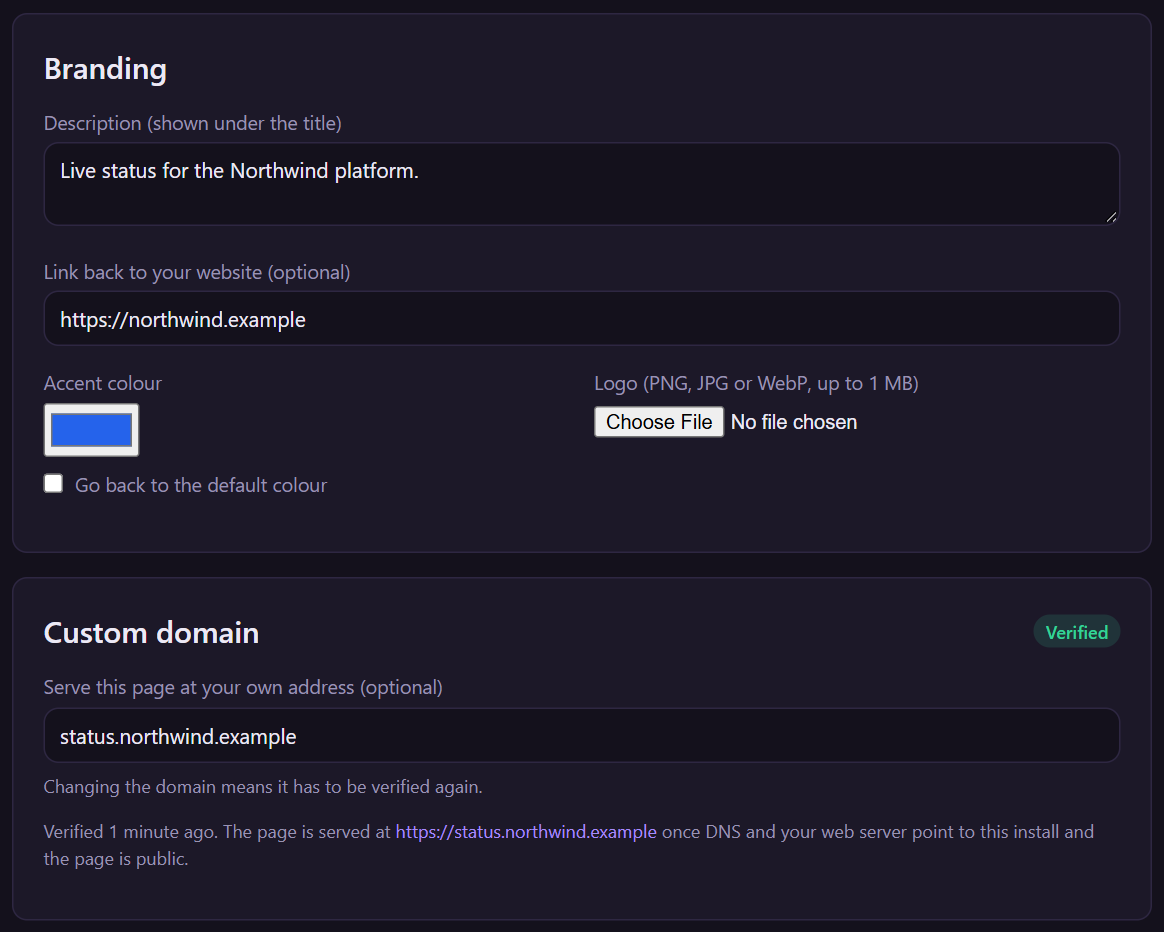
Your brand, your domain
Give each status page its own logo, colour and description, and serve it from an address like status.yourcompany.com once you've proved you own the domain.
Highlights
Checks that don't cry wolf
Sites are checked every five minutes, and a failure is only announced if the site is still down a few minutes later, so a single network blip doesn't page anyone. Scheduled maintenance silences alerts and doesn't count against your uptime.
SSL and domain expiry, watched too
Certificates and domain registrations are checked every day, with reminders spaced out so you hear about an expiry in good time without a daily email.
Alerts where your team already is
Email, Slack (or any Slack-compatible webhook) and signed JSON webhooks, chosen per event: site down, site back up, certificate or domain expiring.
Honest uptime history
A 90-day bar for every site, with percentages rounded down so a site that was ever down never claims a perfect 100%. Past incidents are kept on a public history page.
Updates for your customers, not just your team
Visitors subscribe to a status page by email with double opt-in and one-click unsubscribe, and get every incident update. Sign-ups are rate-limited so the form can't be abused to spam strangers.
Runs on your server
Your checks, incident history and subscriber list live in your own database, not ours. If your licence ever lapses or our licence server is unreachable, monitoring and status pages keep running.
$49, one time. No subscription. You get the download and a license key for one install, by email. Buying is through Gumroad, which adds any VAT, GST or sales tax that applies where you live.
Questions
How do I buy it, and what do I get?
You buy through Gumroad, which takes the payment and adds any VAT, GST or sales tax that applies where you are. Gumroad gives you the download, and we email you your license key straight away. Install it, then enter the key under Admin, Licence in the app. One key works on one install.
Is there a refund?
Our refund policy applies: if the product does not work as this page describes, email hello@azvian.com with your order number within 14 days and we will either fix the problem or refund the purchase. The details are on the refund policy page.
What do I need to run it?
A server or hosting account with PHP 8.2 or newer, a database (SQLite works out of the box with nothing to set up), outbound HTTPS, a cron job that runs every minute and a background queue worker. A browser-based installer checks your server, tells you plainly what needs fixing, and sets everything up.
How does it check my sites?
Every five minutes it makes a plain HTTPS request to each site. No response, or a server error (HTTP 500 or above), counts as down. Anything else counts as up, including pages that return an error like 404, because it checks that your server answers, not what the page says. Keyword checks, port checks and ping checks aren't included yet.
Will it email people?
It sends email through your own SMTP provider: team invitations, password resets, alerts and subscriber updates. Nothing is sent until you've configured one, and the installer reminds you if you haven't.
Can I put the status page on my own domain?
Yes. You prove you own the domain with a DNS record, point it at your server, and your web server provides the certificate. Caddy can do that automatically. The documentation walks through it step by step.
What happens if my licence expires?
Nothing stops. Monitoring, alerts and your public status pages keep running. A licence covers updates and support, and any licence problem is shown only as a notice to your administrators.
What does Azvian see?
Your monitoring data, incidents and subscribers stay in your own database. Our licence server only receives your licence key, the address the product is installed on, and the version you run when it checks for updates.
Have a question about Azvian Uptime Monitor?
Reach out and we'll get back to you.