Azvian Invoicer
Invoices, estimates and payment tracking you host yourself.
Azvian Invoicer is invoicing for small businesses that would rather not rent it by the month. Add your clients, write an invoice or estimate in a few clicks, email it with a PDF and a link, record payments as they arrive and let it send polite reminders when something runs late. Your clients, invoices and payments are in your own database.
The real thing, not a mock-up
Screenshots of the actual product, filled with sample data for a made-up company.
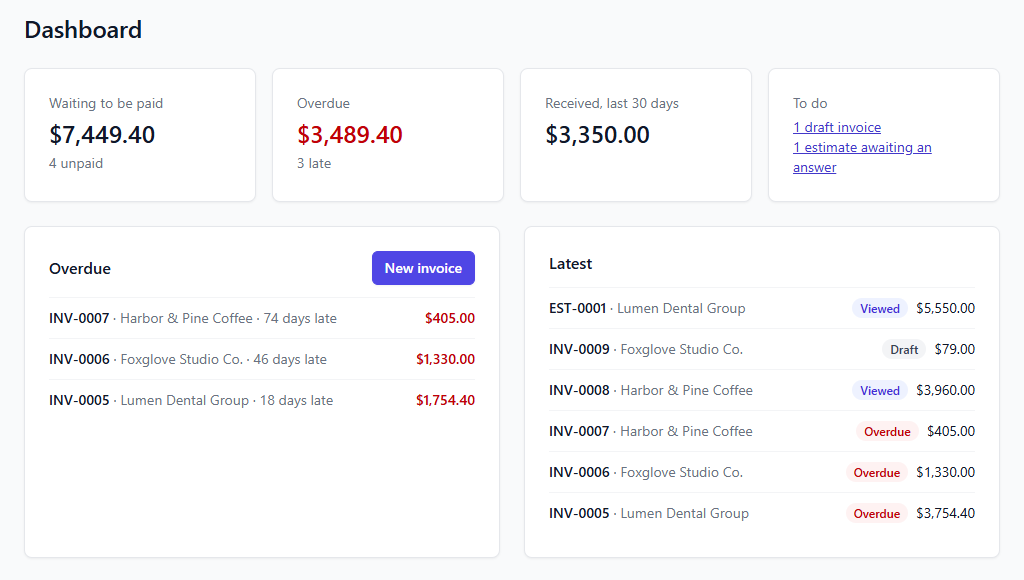
See what you are owed at a glance
What is waiting to be paid, what is overdue and by how long, and what came in over the last 30 days. Click any figure to see the invoices behind it.
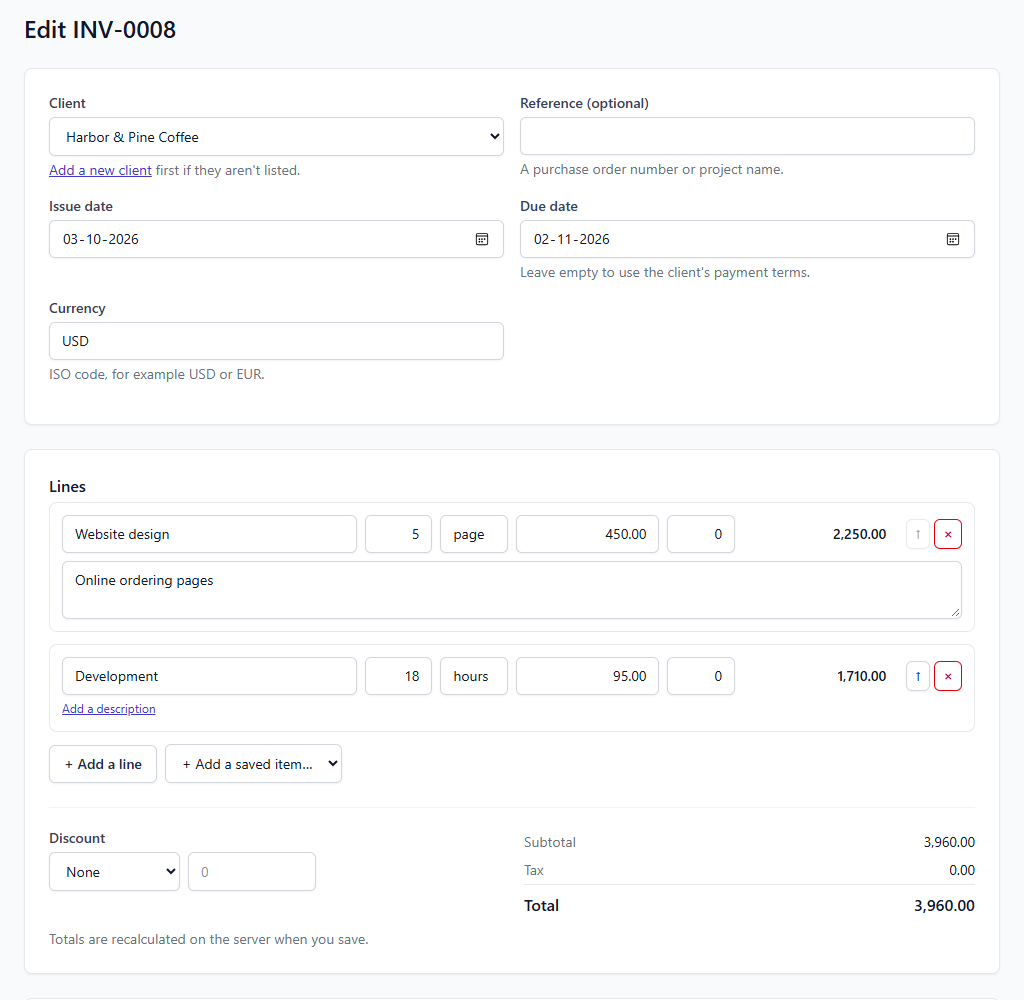
Write an invoice in a minute
Pick a client, add lines by hand or from your saved items, and watch the totals update as you type. Each line can have its own tax rate, and the invoice can have a percentage or fixed discount.
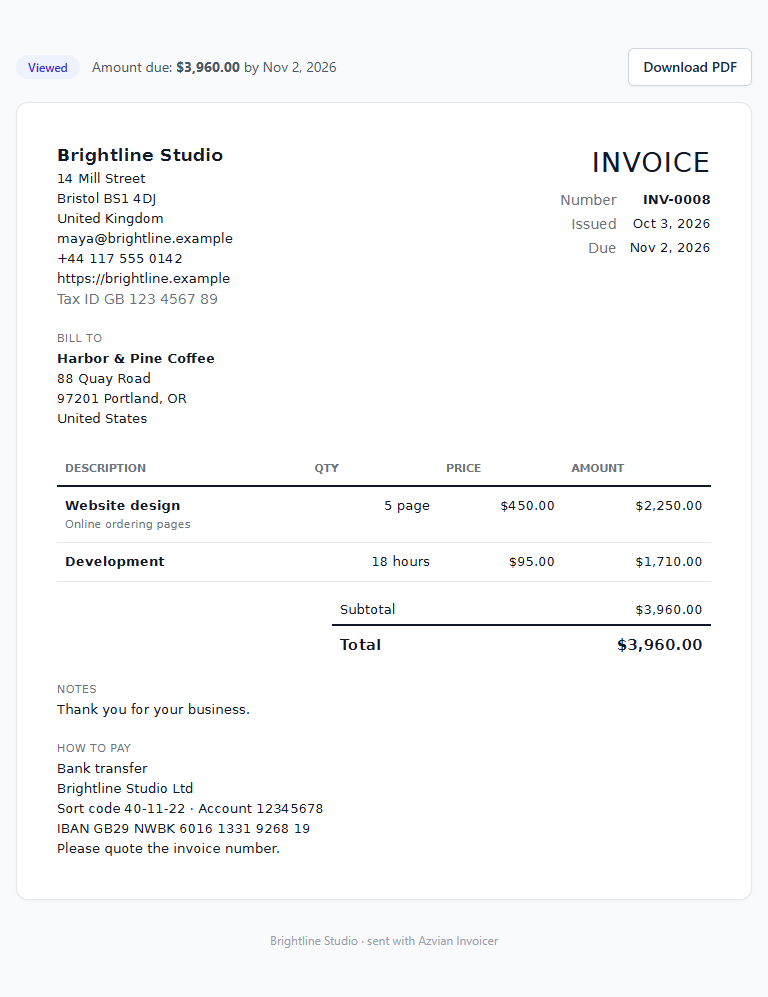
A page your client can open on any device
Every invoice you send comes with a link to a clean online version, a PDF download, and your instructions for how to pay. The link doesn't expire and can't be guessed.
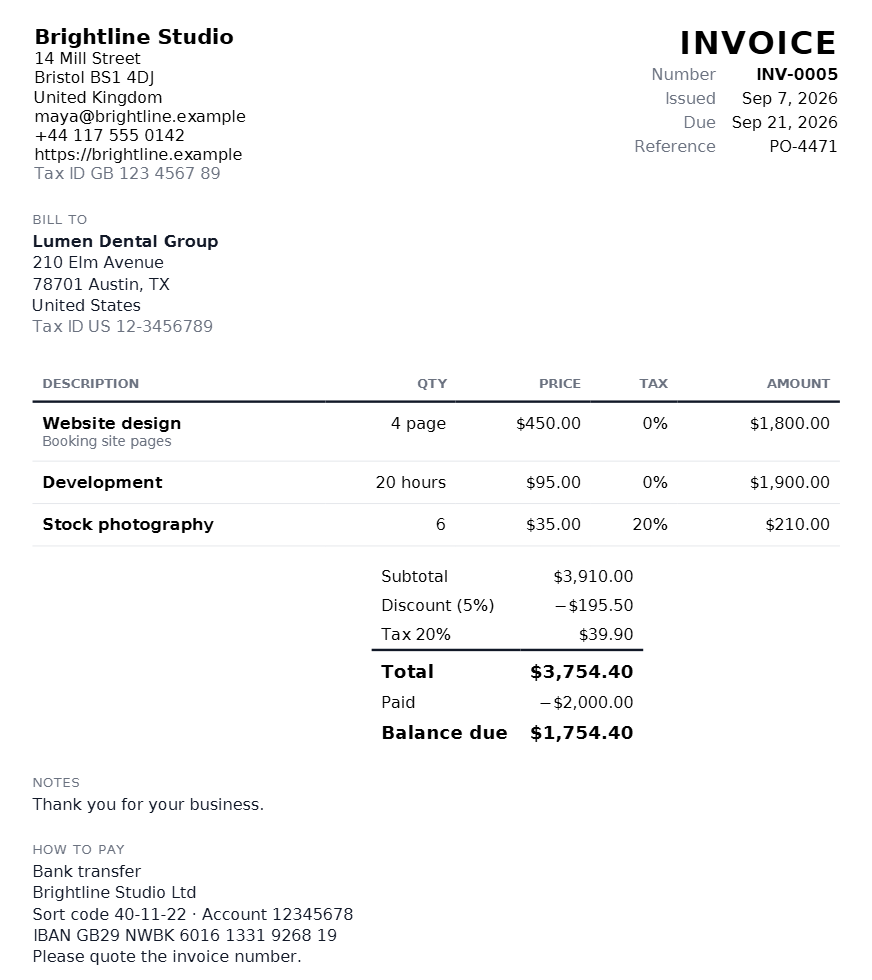
A proper PDF, attached for you
The PDF is made on your server and attached to the email, with your company details and tax number, tax shown per rate, and the balance due after any part payments.
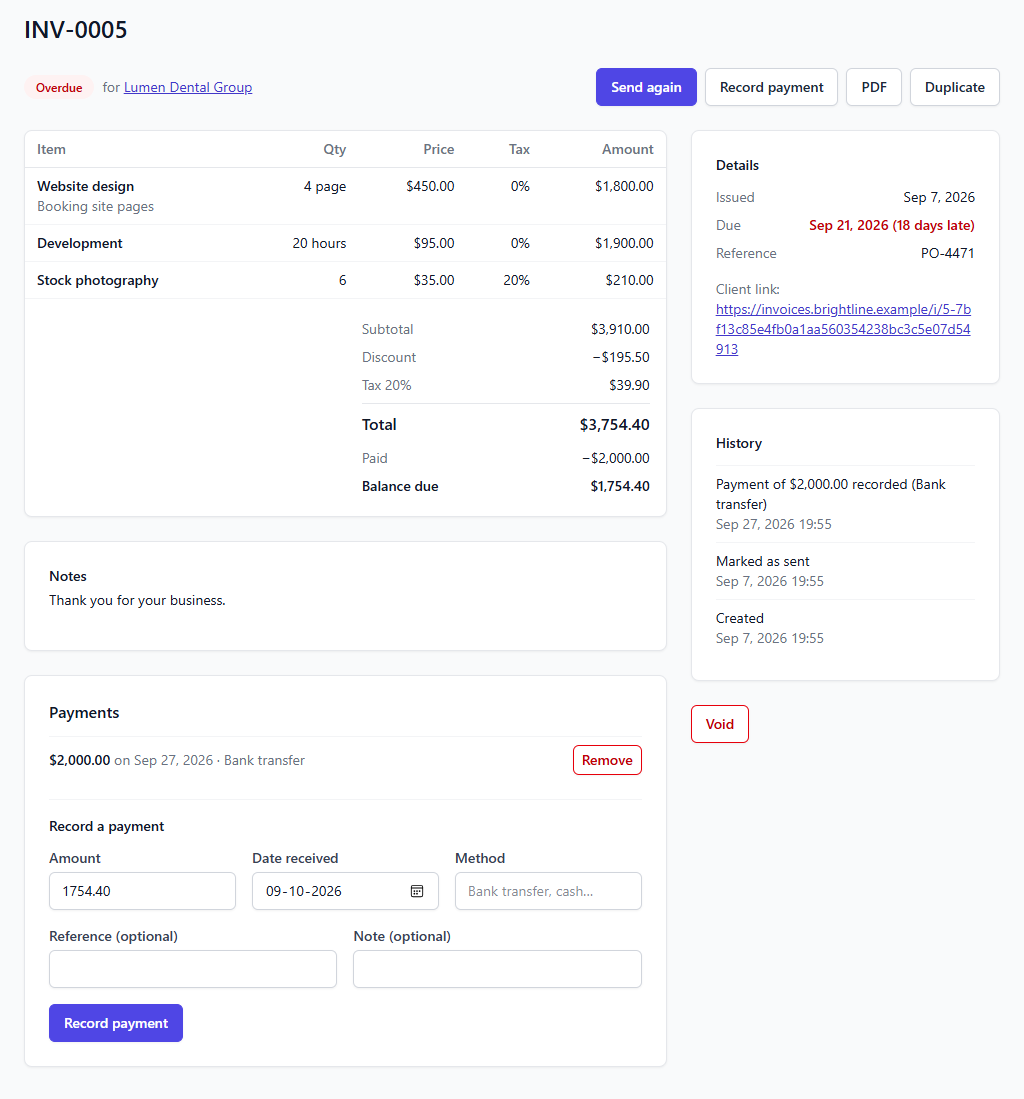
Record payments as they arrive
Log a full or part payment with the date and method. The invoice moves from sent to part paid to paid by itself, and removing a payment puts it back. A history shows everything that has happened to the invoice.
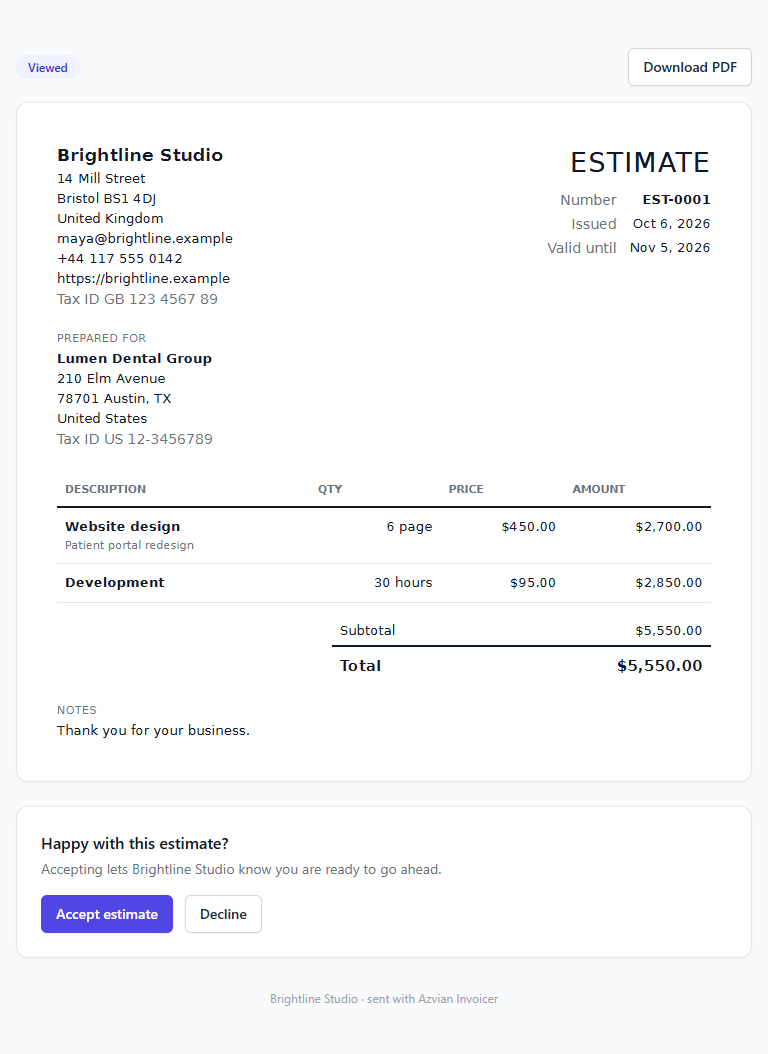
Estimates the client can accept
Send an estimate, and the client can accept or decline it with one click, with an optional reason. You are emailed their answer, and an accepted estimate becomes an invoice in one click.
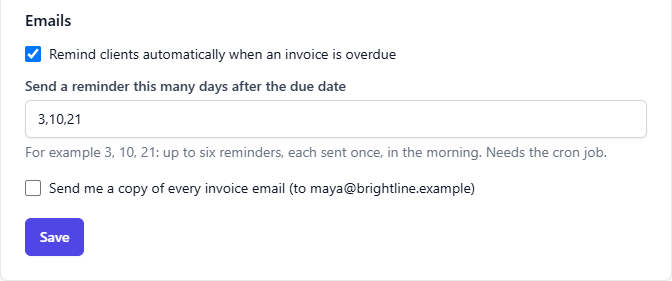
Reminders so you don't have to chase
Choose how many days after the due date a reminder goes out. Each reminder is sent once, in the morning, and stops as soon as the invoice is paid.
Highlights
Totals you can trust
All the arithmetic is done on your server to the cent, never with rounding-prone floating-point maths. Tax is worked out per rate on each rate's share of the discounted subtotal and shown line by line.
Estimates that turn into invoices
Send an estimate, let the client accept it online, then turn it into an invoice with the lines and discount already filled in.
Gentle automatic reminders
Overdue invoices get a polite email on the days you choose, with the PDF attached and a link to the invoice. Up to six reminders, each sent once.
Reports that answer real questions
Money invoiced and received by month, unpaid invoices by how late they are, and who owes you the most, kept separately for each currency you use.
Your clients, your data
Clients, invoices and payments live in your own database. Archive a client instead of deleting them, and their old invoices stay intact.
Runs on ordinary hosting
Built for cPanel, Plesk and DirectAdmin style hosting: a web installer, no command line, and no background process to keep alive. One cron job every minute is all it asks for.
$49, one time. No subscription. You get the download and a license key for one site, by email. Buying is through Gumroad, which adds any VAT, GST or sales tax that applies where you live.
Questions
How do I buy it, and what do I get?
You buy through Gumroad, which takes the payment and adds any VAT, GST or sales tax that applies where you are. Gumroad gives you the download, and we email you your license key straight away. Install it, then paste the key into Settings, License in the app. One key works on one site.
Is there a refund?
Our refund policy applies: if the product does not work as this page describes, email hello@azvian.com with your order number within 14 days and we will either fix the problem or refund the purchase. The details are on the refund policy page.
Can my clients pay online by card?
Not in this first version. Each invoice shows your own instructions for how to pay, such as bank details or a payment link you already use, and you record the payment when it arrives.
Does it do recurring invoices?
Not yet. You can duplicate any invoice in one click, which covers monthly invoices for now. Automatic recurring invoices are on the list for a later version.
How does it handle tax?
Each line has a tax rate you choose, and the invoice shows tax separately for each rate. It doesn't know the tax rules of your country, so set the rates your accountant tells you to use.
Can I invoice in different currencies?
Yes. Each invoice is in one currency of your choice, and the dashboard and reports keep each currency separate. It doesn't convert between them.
What do I need to run it?
A web host with PHP 8.2 or newer, a MySQL or MariaDB database (SQLite works for small installs), an email account for sending, and a cron job that runs every minute. A browser-based installer checks your server and sets everything up.
What happens if I don't have a licence?
The software keeps working. A licence covers updates and support.
Have a question about Azvian Invoicer?
Reach out and we'll get back to you.