Azvian QR & Link Manager
Short links, QR codes and click tracking on your own domain.
Azvian QR & Link Manager gives you short links on your own domain, instead of a stranger's. Paste a long address, get a short one with a QR code, and watch the clicks come in: per day, by referrer, browser, system and device. Add an expiry date, a click limit, a password or campaign tags when you need them. Everything is stored on your server, and no visitor's IP address is kept.
The real thing, not a mock-up
Screenshots of the actual product, filled with sample data for a made-up company.
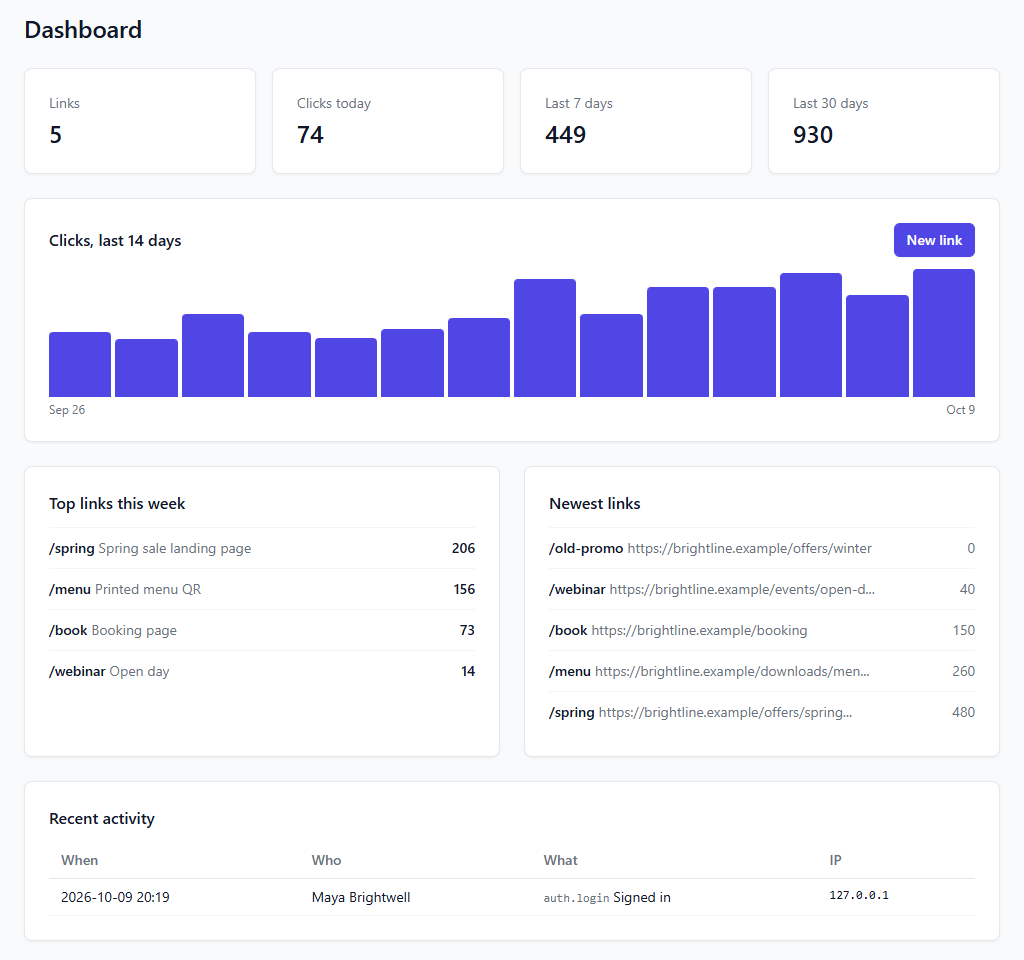
How your links are doing, at a glance
Clicks today, this week and this month, a chart of the last fortnight, and which links are doing best right now.
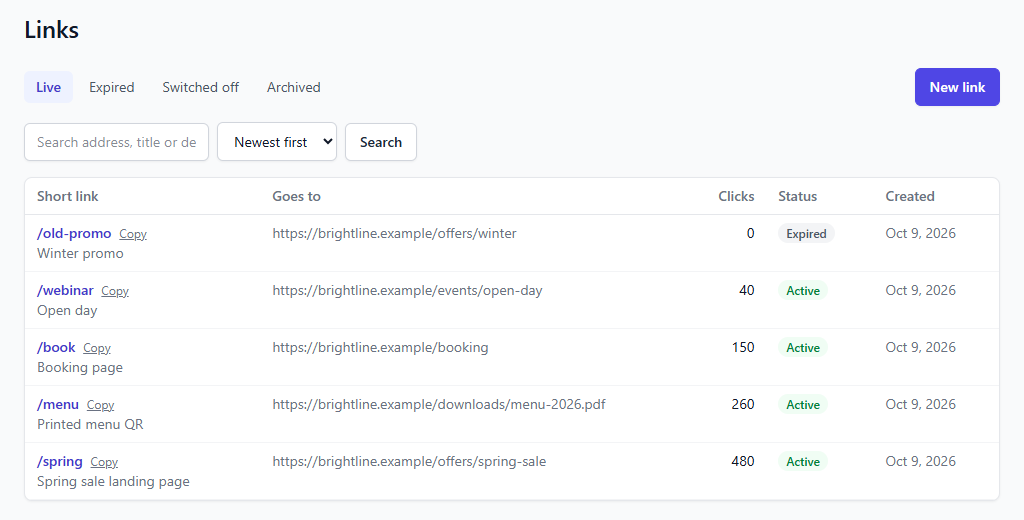
Every link in one list
Search by address, title or destination, sort by newest or most clicked, and see which links are active, expired, switched off or archived. Copy a short link in one click.
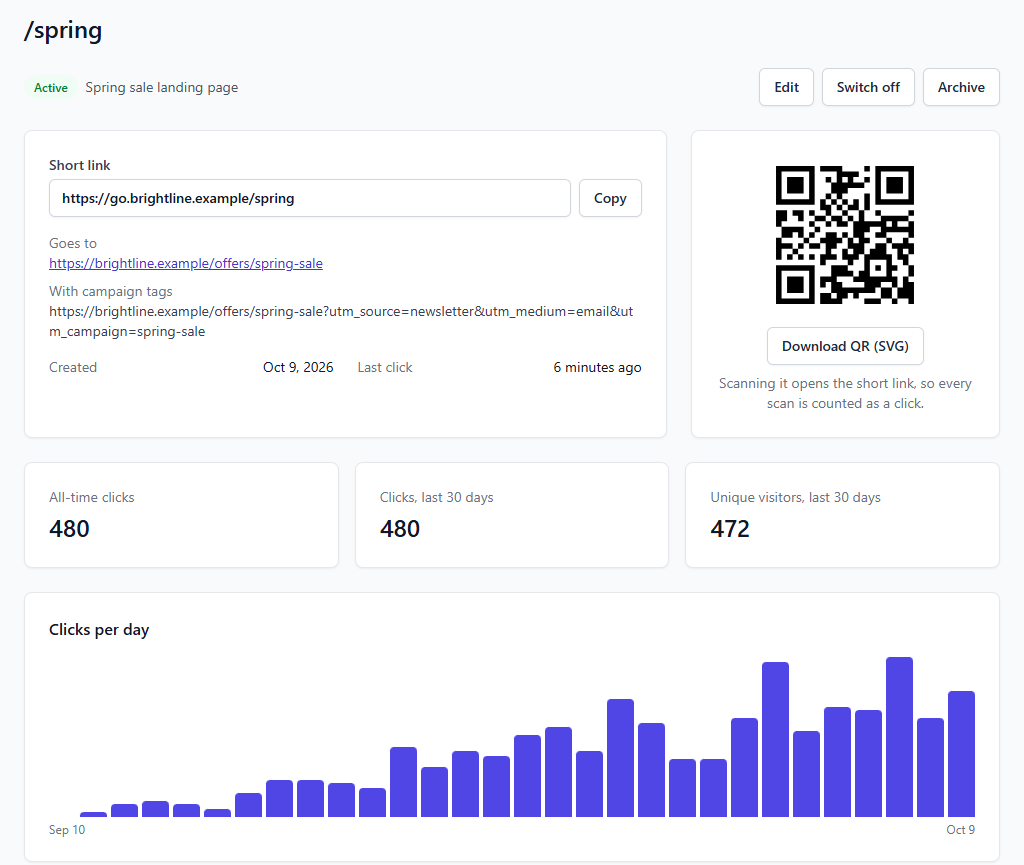
A QR code and a click chart for every link
Each link comes with a sharp QR code you can download at any size for print. Scans go through the short link, so every scan is counted along with the clicks.
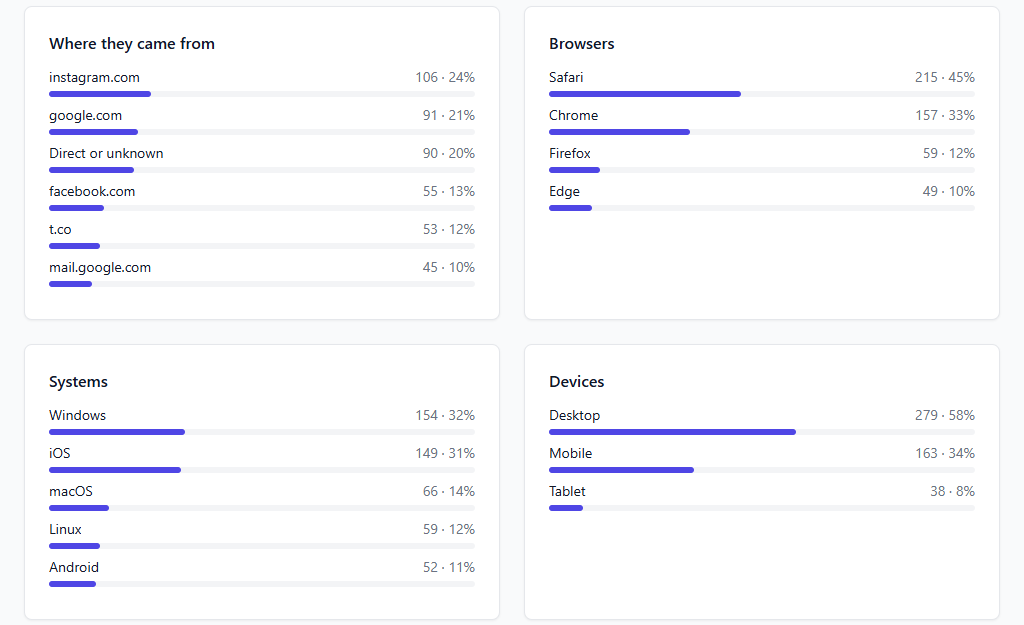
Know where clicks come from
See which sites send people, and which browsers, systems and devices they use. Robots such as link previews and crawlers are recognised and left out of your numbers.
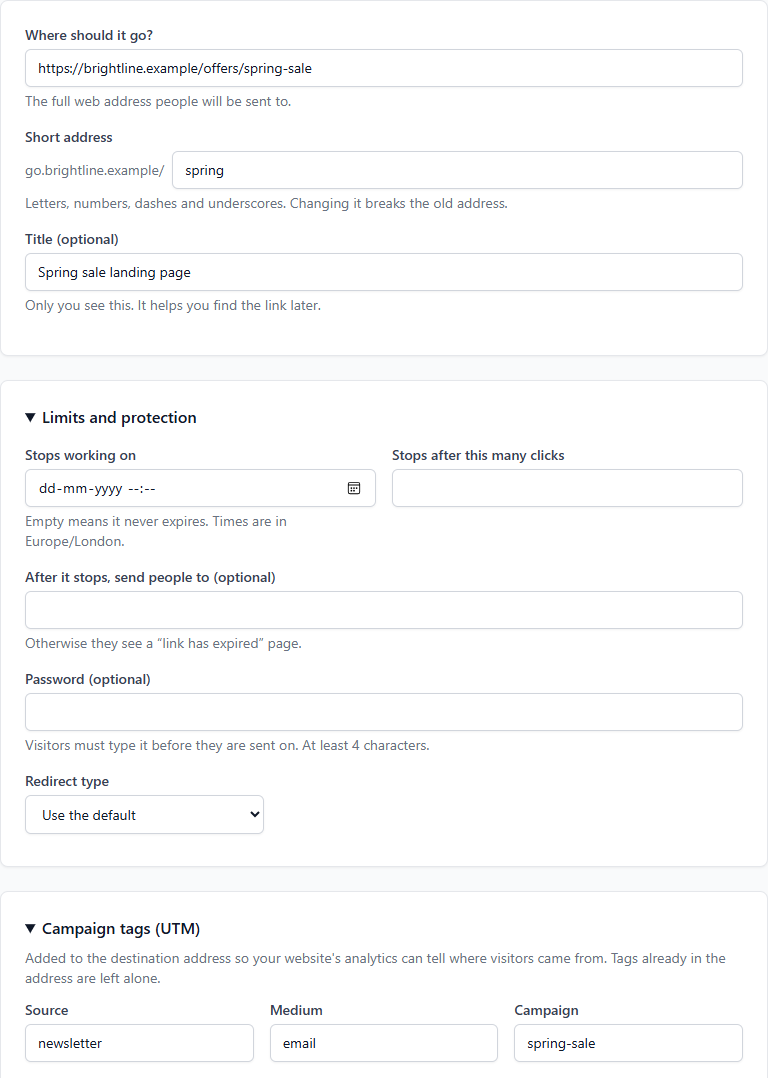
Expiry, passwords and campaign tags
Make a link stop on a date or after a number of clicks, send people somewhere else afterwards, or protect it with a password. Add UTM tags so your website's analytics knows where visitors came from.
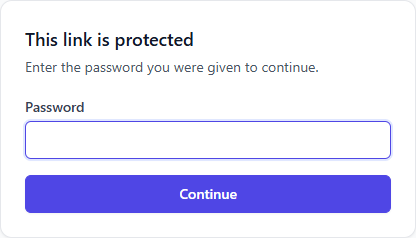
A password page your visitors will understand
Password-protected links show a simple page first. Wrong guesses are limited, and nobody reaches the destination without the password.
Highlights
Your own domain, your own links
Run it on a short domain of your own, such as go.yourbrand.com, so links carry your name and don't disappear if a free service closes.
Clicks without tracking people
Counts are based on a daily visitor fingerprint, not an IP address, and no IP address is stored. Robots are recognised and never counted.
Counts every QR scan
A QR code points at the short link, not at the destination, so every scan from a flyer, menu or shop window shows up in your numbers, and you can change the destination later without reprinting anything.
Links that expire or need a password
Stop a link on a date or after a number of clicks and send people to a page of your choice afterwards, or ask for a password first.
Campaign tags built in
Add UTM source, medium and campaign tags to a link, change them whenever you like, and tags already in the address are never overwritten.
Runs on ordinary hosting
Built for cPanel, Plesk and DirectAdmin style hosting: a web installer, no command line, and no background process to keep alive. One cron job every minute is all it asks for.
$29, one time. No subscription. You get the download and a license key for one site, by email. Buying is through Gumroad, which adds any VAT, GST or sales tax that applies where you live.
Questions
How do I buy it, and what do I get?
You buy through Gumroad, which takes the payment and adds any VAT, GST or sales tax that applies where you are. Gumroad gives you the download, and we email you your license key straight away. Install it, then paste the key into Settings, License in the app. One key works on one site.
Is there a refund?
Our refund policy applies: if the product does not work as this page describes, email hello@azvian.com with your order number within 14 days and we will either fix the problem or refund the purchase. The details are on the refund policy page.
Can I use my own domain?
Yes. Install it on the domain or subdomain you want your short links to use, for example go.yourbrand.com. It needs to sit at the root of that domain, because the short address is the first part of the web address.
Can I change where a link goes after I've shared it?
Yes. Edit the destination whenever you like and the short link, and any QR code printed with it, keeps working.
Does it track individual visitors?
No. It counts clicks and estimates unique visitors from a daily fingerprint that can't be turned back into an IP address, and no IP address is stored. It records the site a visitor came from, plus their browser, system and device type.
Does it work with a QR code on printed material?
Yes. Each link has a QR code you can download as an SVG, which stays sharp at any size. Scans open the short link, so they are counted like any other click.
What isn't included yet?
Custom domains per link (one install serves one domain), bulk import, an API, country and city lookup, and folders or tags for organising links aren't in this first version.
What do I need to run it?
A web host with PHP 8.2 or newer, a MySQL or MariaDB database (SQLite works for small installs), an email account for sending, and a cron job that runs every minute. A browser-based installer checks your server and sets everything up.
What happens if I don't have a licence?
The software keeps working. A licence covers updates and support.
Have a question about Azvian QR & Link Manager?
Reach out and we'll get back to you.